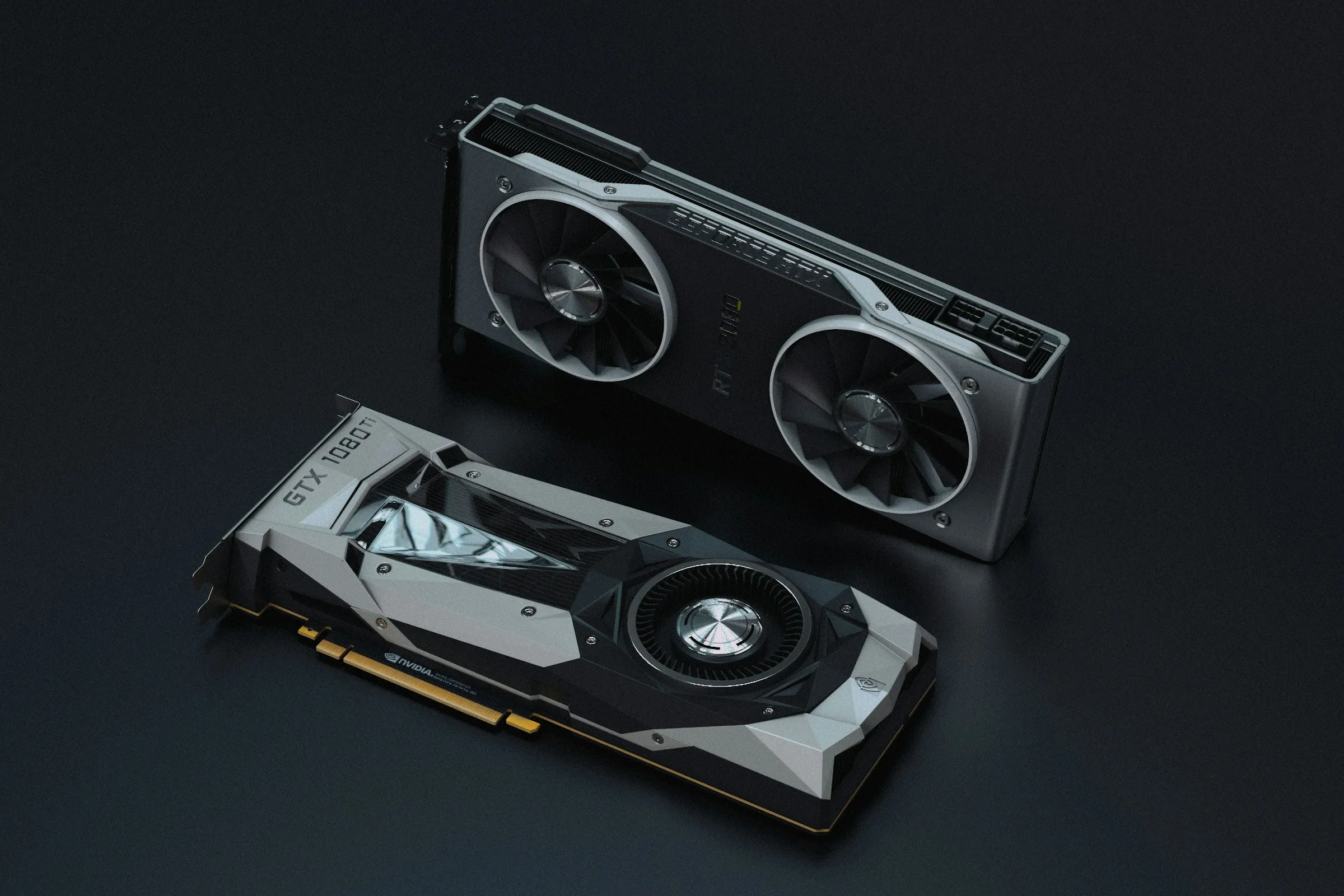
A model works on a demonstration machine but slows as soon as several people use it. Another machine can hold a larger model but exceeds the available operating resources. Parameter count and purchase price cannot decide the platform alone.
Sizing starts with the task and workload. The team specifies the model, context length and response requirements, then checks the hardware and runtime together.
Connect memory with the model and context
Weights are the values learned during training. Quantisation reduces their numerical precision, for example to four bits, to lower their memory footprint. Its effects on quality and compatibility must be tested with the selected version.
Eight billion parameters stored at four bits require about four billion bytes for the parameter values alone. Format overhead and runtime resources come on top. That is not a complete service-memory estimate.
Context and generation caches also use memory, and concurrent requests can change the usable capacity substantially. A model fitting a short question may exceed available memory when several long dossiers are processed together.
Memory bandwidth affects throughput, but compute and model architecture can become limiting factors too. The trial records time to first token and generation speed. Tokens are units of text processed by the model, not a fixed number of words.
Compare three hardware profiles
The following examples represent hardware families rather than a fixed machine for each profession. Diagrams illustrate physical integration, not a complete production design.
A compact computer with unified memory
A 64 GB Mac mini M4 Pro shares memory across its components. This profile may suit trials or an internal workload compatible with the chosen model. Apple’s 2024 specifications identify this configuration.
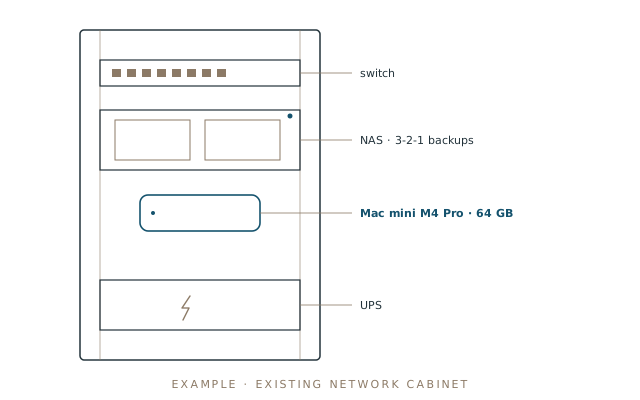
Document retrieval or extraction provides a possible test. The team measures concurrent requests and queues with the selected quantisation. Actual throughput, rather than the absence of a separate graphics card alone, establishes the limit.
A station with more unified memory
NVIDIA DGX Spark provides 128 GB of unified memory. Capacity permits consideration of other models but does not announce their generation speed. Runtime compatibility and processor architecture belong in the trial.
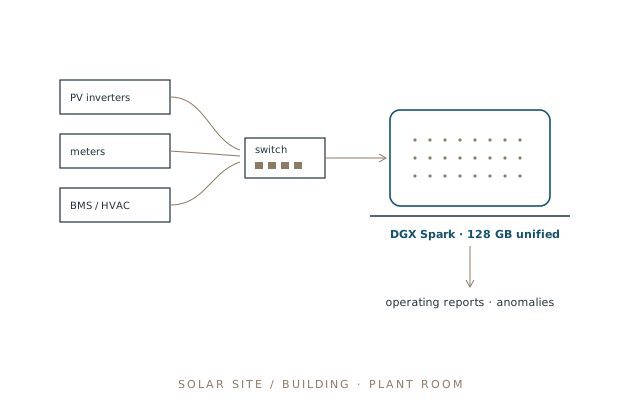
An industrial application might analyse a read-only copy of operating data and explain anomalies. It should remain separate from the control system. Operational alarms and actions retain the safeguards selected for the installation.
A server or workstation with a professional GPU
An RTX PRO 6000 Blackwell provides 96 GB on the card. Some 70-billion-parameter models may fit at suitable precision, with room still required for context and execution. The intended workload must verify that possibility.
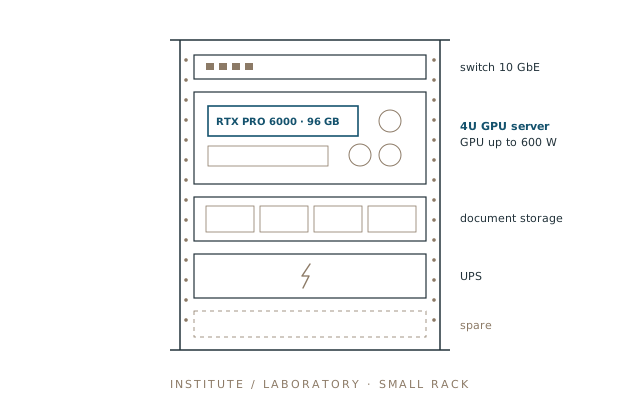
This profile can support a shared application or model adaptation work. Training capacity depends on the method and trainable parameters, including the states retained. An inference capacity does not automatically imply an equivalent training capacity.
Chassis and cooling must match the card edition. A GPU rating up to 600 W is not the consumption of the whole server. Noise also matters in an office environment.
Measure an equivalent service on each candidate
The team uses the same documents and quality criteria. It records the exact model and quantisation alongside runtime and driver versions. If platforms require different variants, the comparison states that difference.
| Measurement | Purpose |
|---|---|
| Quality on the selected cases | Detect degraded output behind a speed gain |
| Time to first token | Measure initial user waiting time |
| Throughput and total duration | Compare known output lengths |
| Concurrent demand | Observe queues, saturation and errors |
| Peak memory | Determine remaining capacity |
| Power and noise | Plan cost and installation conditions |
Increasing demand from one user to several requests reveals where the service exceeds acceptable delay or rejects work. That threshold supports a capacity choice or queueing policy.
Renting hardware can prepare some measurements before purchase. It does not replace the final test if hardware or software differs. A data-centre GPU result cannot directly establish the behaviour of a compact system.
Compare complete cost and operating resources
The budget covers the machine and supporting equipment, followed by energy and administration. Support and continuity arrangements belong in the comparison as well. Quotations need a date, currency, taxes and a clear configuration, with commissioning and warranty terms.
An undated price range can imply precision it does not have. The team obtains a quote for the configuration tested and compares its use over a common period with rental or API delivery at equivalent quality and availability.
Offline operation also requires locally available models and dependencies, including identity mechanisms. The installation needs a restore procedure and a response to failed components. Hardware performance alone does not establish application availability.
The choice is justified when measurements show that the configuration delivers the service and the organisation can operate it. Published specifications help select candidates; testing establishes usable capacity.
Continue with the complete internal-AI architecture.